
PhonePe is one of India’s popular digital payment platforms. It lets users pay utility bills, subscriptions, and other recurring expenses online.
The platform also offers an AutoPay feature for recurring payments. It automatically processes scheduled payments, so you do not have to make each payment manually.
However, you may sometimes need to stop an AutoPay mandate. You might have subscribed by mistake or no longer need the service. Security concerns can also make you want to cancel a mandate.
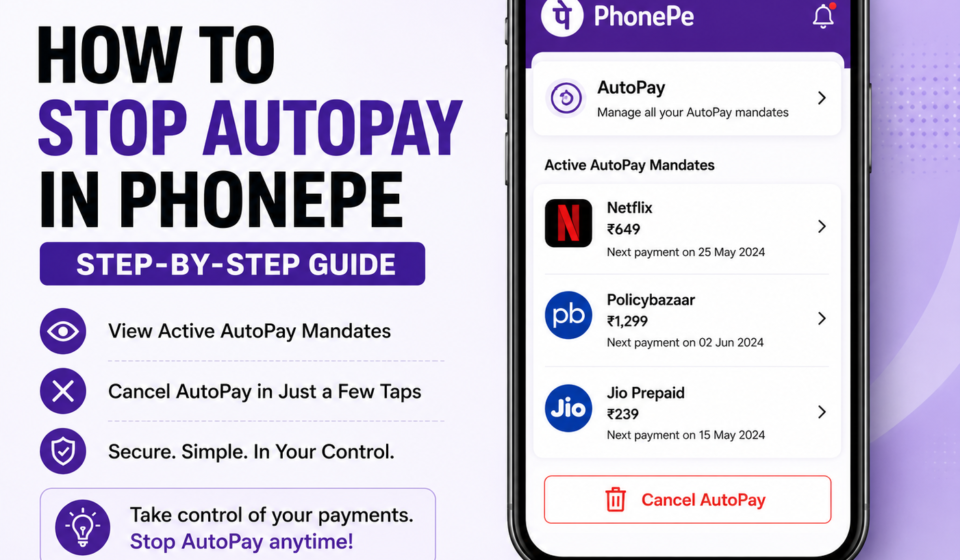
Here’s a simple guide on how to stop AutoPay in PhonePe. We’ll also explain how to check your active AutoPay mandates.
Steps to Check Active AutoPay Mandates in PhonePe
You can quickly check all your active AutoPay mandates through the PhonePe app. Follow these steps:
Step 1: Open the PhonePe app on your smartphone.
Step 2: Tap your profile picture on the home screen.
Step 3: Select AutoPay Settings under Payments Settings.
Step 4: You will see a list of your active AutoPay mandates. Tap any mandate to view its details.
Step-by-Step Process to Stop AutoPay in PhonePe
To discontinue AutoPay mandates in PhonePe, there are two methods:
How to Stop AutoPay in PhonePe
PhonePe offers two ways to cancel an active AutoPay mandate. You can cancel it through the PhonePe app or your bank’s app.
Method 1: Cancel AutoPay Through the PhonePe App
Follow these steps to cancel an AutoPay mandate directly through PhonePe:
Step 1: Open the PhonePe app and go to your profile.
Step 2: Look for Payment Management and select it.
Step 3: Tap the AutoPay option in the payment management section.
Step 4: Select UPI Mandates and choose the subscription you want to cancel. This could include Netflix, Amazon Prime, or loan EMIs.
Step 5: Tap Cancel Mandate or Disable AutoPay, depending on the option shown.
Step 6: Enter your UPI PIN and confirm the cancellation.
PhonePe will show a confirmation once the AutoPay mandate has been cancelled.
Method 2: Cancel AutoPay Through Your Bank App
Some banks let customers manage UPI mandates through their mobile banking apps. This includes banks such as HDFC Bank, SBI, ICICI Bank, and Axis Bank.
If your bank supports this option, follow these steps:
Step 1: Open your bank’s mobile app and log in.
Step 2: Go to the UPI Services or Payments section.
Step 3: Look for Mandates, UPI Mandates, or Recurring Payments.
Step 4: Select the AutoPay mandate you want to cancel.
Step 5: Follow the instructions and confirm the cancellation using your UPI PIN or OTP, if required.
After successful cancellation, your bank should send you a confirmation notification.
Also Read: Google Pay Autopay Mandate: How to Cancel in 4 Easy Steps
Conclusion
Stopping AutoPay in PhonePe is simple when you know where to find your active mandates. You can cancel a mandate through the PhonePe app or your bank’s app.
Before cancelling, check the subscription details carefully. Make sure you do not have any pending payments linked to the mandate. After cancellation, check for a confirmation message to ensure the AutoPay mandate has been successfully disabled.
Open PhonePe, go to AutoPay Settings, select the mandate, and choose the cancellation option.
Go to your Profile → AutoPay Settings to view your active AutoPay mandates.
Yes, some banks allow users to manage and cancel UPI mandates through their banking apps.
Yes, you should receive a confirmation notification after the mandate is successfully cancelled.
Not necessarily. Cancelling AutoPay stops future automatic payments. You may need to cancel the subscription separately.
Keep up with us on social media to see our exclusive videos, read the newest news that is trending, and participate in our lively community!