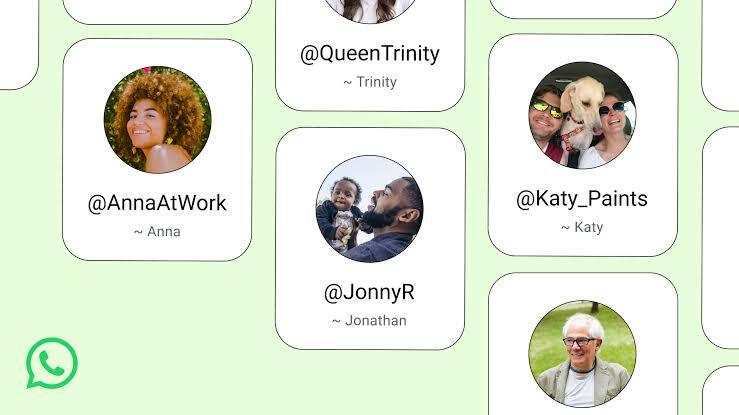

Earlier this week, Meta said it’s bringing usernames to WhatsApp. Instead of showing your phone number, you’ll soon be able to pick a handle to share with friends or anybody else. That means you can keep your number a bit more private.
The username feature still isn’t live yet, but Meta plans to roll it out worldwide in the next few months. For now, you can already reserve your username so the rush has started. People are racing to grab their preferred tags, whether it’s just for close contacts or to use the same handle across all their apps. If you care about consistency on your social profiles, you don’t want to wait.
So, if you want your top choice, now’s the time to act. Here’s what you need to lock in your WhatsApp username:
How to reserve a username
For now, the username reservations are only available on the mobile versions of WhatsApp. If you keep your app updated, you may receive a notification when usernames are available for you to reserve. If you think you missed the notification or just want to get to the menu on your own, here are the steps to take:
On iPhone
- Open WhatsApp.
- Tap You.
- Tap your profile.
- Select Create Username or Reserve Username (the option depends on your rollout stage).
- Tap Save → Done.
On Android
- Open WhatsApp.
- Tap the three-dot menu (⋮).
- Tap Settings.
- Tap your profile.
- Select Create Username or Reserve Username (the option depends on availability).
- Tap Save → Done.
Restrictions on WhatsApp usernames
Like most social networks, you need a one-of-a-kind username. So, if Glitter4Eva is already taken, you’ll have to find something else. You usually can’t grab a username someone else has snagged unless they decide to change theirs. If that happens and they delete or switch their handle, it’s back up for grabs after 14 days.
Meta hasn’t said exactly how many times you can change your username, but there’s definitely a cap somewhere.
When you are creating your account, you’ll see an option to use your existing Facebook or Instagram username. If nobody is using it yet, you can claim it. But if you’re worried about privacy, you might want to choose something original for WhatsApp instead.
There are some rules: your username has to be between three and 35 characters, using lowercase letters, numbers, underscores, or periods. Usernames made up of just numbers aren’t allowed, and you’ll have to skip any restricted words or phrases too.
Stay alert and use common sense to avoid scams.
Meta’s rolling out some new safeguards to help make sure messages really come from people you know. One example: if someone tries to contact you by username for the first time, they’ll need an authorization key. But people are worried that letting users link any name to an account without proper checks could make it easier for scammers to trick their targets into thinking they’re someone they’re not. Sure, Meta isn’t about to let just anyone pretend to be Beyoncé or Tim Cook, but the company hasn’t actually said how it plans to spot or handle copycats at all. And even though nobody expects the real Taylor Swift to pop up in your DMs asking for cash, the reality is that social media scams have already cost people in the US billions.
This rollout isn’t going smoothly everywhere, either. India WhatsApp’s biggest market with over 500 million users is pushing back. Reuters says the Indian government wants Meta to pause the launch until it can explain how the new features will work and lay out specific steps to fight fraud. There’s a lot at stake here, and plenty of eyes on how Meta handles it next.
Keep up with us on social media to see our exclusive videos, read the newest news that is trending, and participate in our lively community!